For school & nursery photographers
Bring every child’s photographs together, find the stronger shots and review a ready-made selection — without spending your evening working through hundreds of near-identical images.
First 100 photographs free. No card needed.
Prefer the photos to stay on your PC? There is a Windows desktop app too — no uploads:
Get it from the Microsoft Store →The difference
School photography calls for a different approach. SmartCull works through each child’s photographs, so no one is lost in a folder of hundreds of frames.
Portraits, group photographs and those spontaneous expressions are kept together for review. You decide what stays.
See the photographer’s view →BEFORE UPLOAD


90 photos in one folder
AFTER SMARTCULL
 Child 1

 Child 2
 Child 3
 Child 4
 Adult 1
 Adult 2
4 children + 2 adults, an album each
A real nursery session, shown with the parents’ consent. The names are made up. See the same session in the photographer demo →
How it works
Four straightforward steps. No complicated preparation.
Add a folder of photographs or a ZIP file. Choose face grouping, separator cards or clothing-based grouping.
Photos are grouped by child. Blinks, blur and near-duplicates are identified.
Keep, remove or move photographs. Change the selection without starting from scratch.
Download organised folders or open a parent ordering gallery.
Lightroom Classic
The SmartCull plug-in for Lightroom Classic brings your selections and parent orders into Lightroom collections, organised by child, order and print size.
Built around your workflow
The goal is not to replace your judgement. It is to make the first round of sorting more manageable.
Identify frames where eyes are closed or the expression has not quite worked.
Bring attention to photographs affected by motion or missed focus.
Find stronger options from a burst of similar photographs.
Keep track of portraits, group shots and moments with friends or family.
Choose how many photographs to keep in each category.
Restore a filtered photograph or remove a selected one at any time.
An actual demonstration
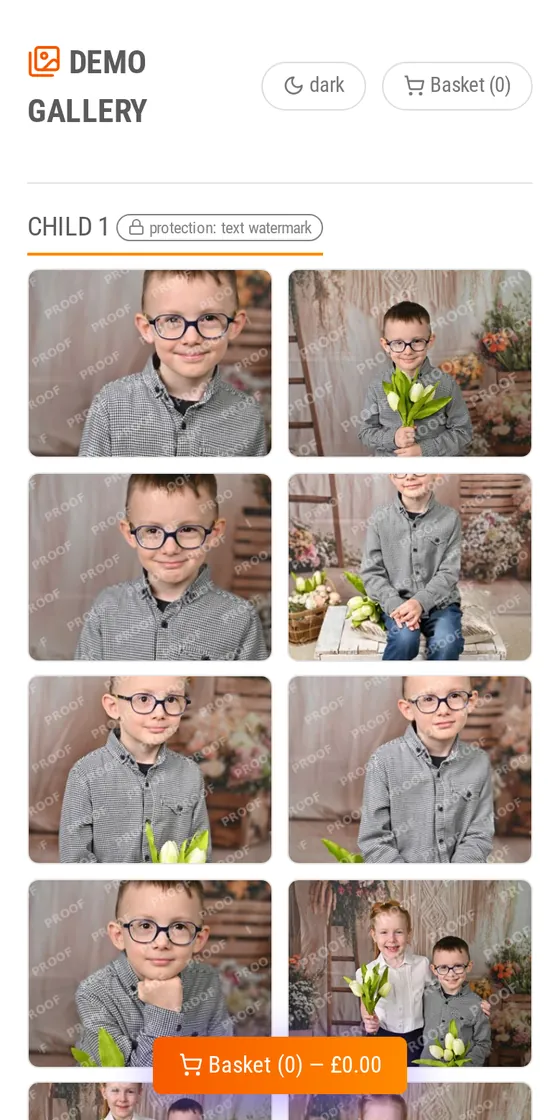
Watch a real two-minute recording of the app, then try the photographer’s view using demonstration data. Browse child albums, inspect the suggested selections and see how a parent gallery works.
No account is needed to look around. Changes in the demonstration are not saved. The names are made up and the photos are protected.
Parent ordering
Open an ordering gallery, set your products and prices, and let parents browse protected previews. Orders come to you, ready to fulfil.
A text watermark, your own watermark image or a blur.
You choose the products and prices.
Order details arrive by email, with a printable order form.
The gallery is included. On Pay per photo SmartCull takes no share of sales; on Pay as you sell the fee is 8% of orders, and processing is free.
Payments and delivery are arranged directly between the photographer and the parent.
For photographers: switching on the parent gallery
For parents: what parents see and how they order
Privacy and control
Choose the grouping method appropriate for your shoot. SmartCull offers automatic face grouping, separator-card sorting and clothing-based grouping — the last two without face recognition.
Face grouping, separator cards or clothing.
Processing on SmartCull’s own servers in Hungary.
You decide what appears in a gallery.
Deleted 30 days after upload, or 30 days after the parent ordering deadline.
Simple pricing
Choose Pay as you sell — free processing and a small fee on orders — or Pay per photo, with processing credit you use whenever you have a session to sort.
Organising your photos, creating parent galleries and using the photo shop are all free. On Pay as you sell, an 8% service fee applies to the value of orders placed through your parent gallery, with monthly billing. Photo shop orders are commission-free on both plans.
Service fees from parent gallery orders count towards your download charges. If they cover the full amount, there’s nothing extra to pay for downloading your photos. How ZIP downloads are charged →
Prices are in pounds sterling (GBP) and include VAT where it applies — in the UK and the EU, the price you see is the price you pay; elsewhere local taxes may be added at checkout.
Frequently asked questions
It makes the initial selection, and you remain in control. Keep photographs it has filtered out, remove any you do not want, and make the final choice yourself.
No. With face grouping, SmartCull creates anonymous albums (“Child 1, 2, 3…”) that you can name afterwards. In separator-card mode, a simple card photographed between children marks where each child’s photos begin.
Yes — two ways. Use separator cards when shooting, then choose separator-card mode when uploading; or choose By clothing, which groups by clothing, hair appearance and shooting order with no cards at all (less accurate when children look alike, so check the albums). The photo quality checks and suggestions still work.
Buy a credit pack for £15, £40 or £90, depending on your volume. One photograph uploaded for processing uses one photo of credit, and there is no monthly subscription. Your first session is free up to 100 photographs; if it is larger, only the photographs beyond the first 100 need credit.
Yes. It is included with processed sessions, with no gallery fee. On Pay per photo there’s no commission on orders; on Pay as you sell the fee is 8% of orders. Parents send their orders to you, and you arrange payment, printing and delivery.
Also shooting events, sporting events or landscapes? Our photo shop lets you share any collection by link or QR code and take orders at your prices — no monthly fee or commission on orders, whichever plan you’re on.
Start with your own photographs
You take care of the photography. Let SmartCull help with the sorting. Start with 100 photos at no cost, see the results for yourself, and decide whether it belongs in your workflow.
No subscription. No card needed to get started.
